
Playbooks
Google Post views are back: where to find them, and what the number actually tells you
Google is showing view counts on Business Profile posts again, more than three years after it took them away. Here's where to find them, what they leave out, and a simple way to put them to work.

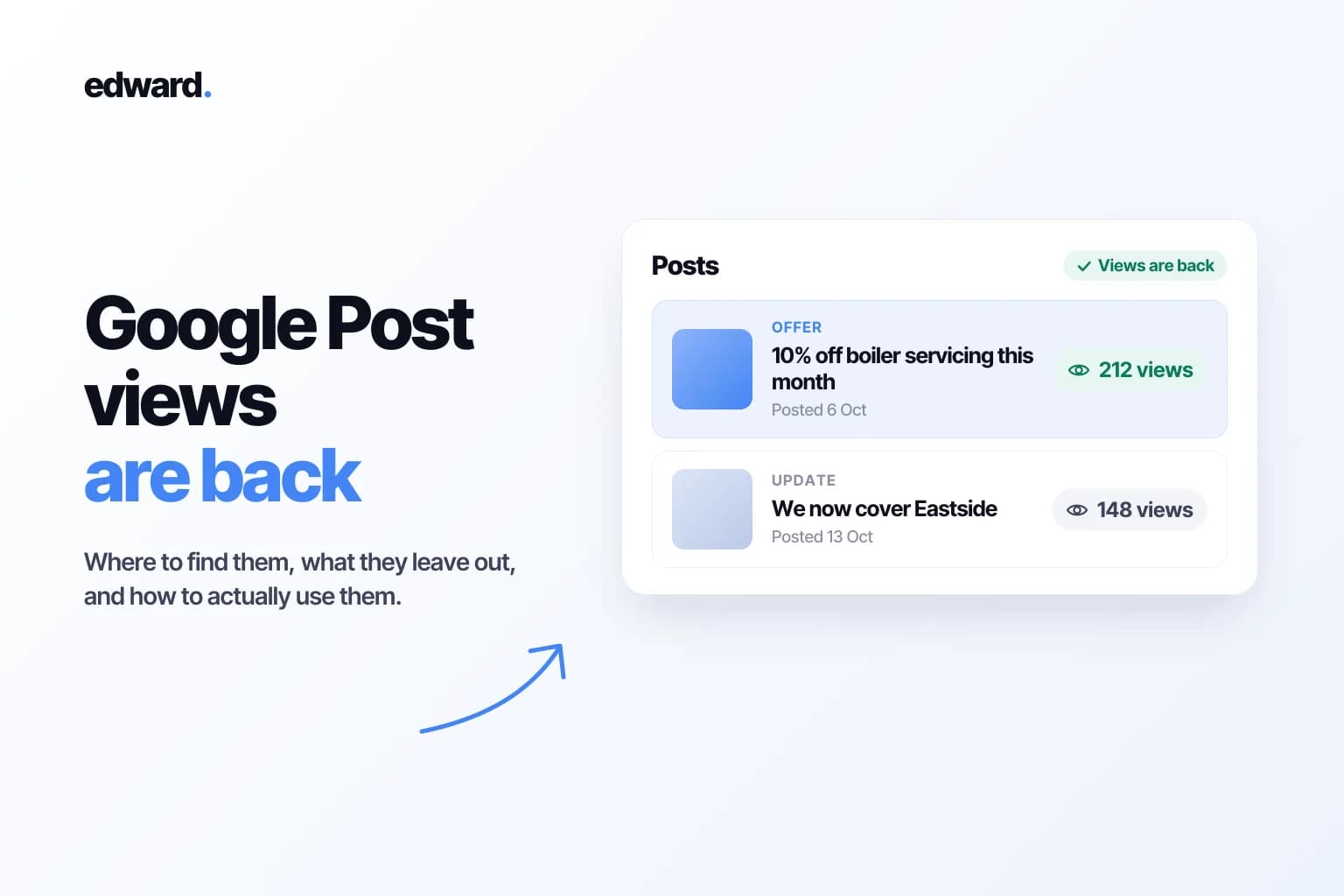
For three and a half years, posting on your Google Business Profile was an act of faith. You wrote the update, picked a photo, hit publish, and then nothing. No number. No way to tell whether anyone saw your Saturday sale, or whether you'd been talking to an empty room.
That changed in September. In its September 2026 Small Business Bulletin, Google announced that view counts are back on Google Posts. Google called it "one of our most requested features yet," which is a polite way of saying business owners have been asking for it since the day it disappeared.
Here's where to find the numbers, what they don't tell you, and how I'd use them.

What Google actually shipped
Every post in your Business Profile dashboard now shows how many times it was viewed. Here's what's covered:
| What | Detail |
|---|---|
| Which posts | Updates, offers and events |
| How far back | Posts published in the last 18 months, on a rolling basis |
| Where the views come from | Google Search and Google Maps, added together into one number |
| Who has it | Rolling out globally, so some profiles get it later than others |
| API access | Not yet |
That last row matters more than it looks. I'll come back to it.
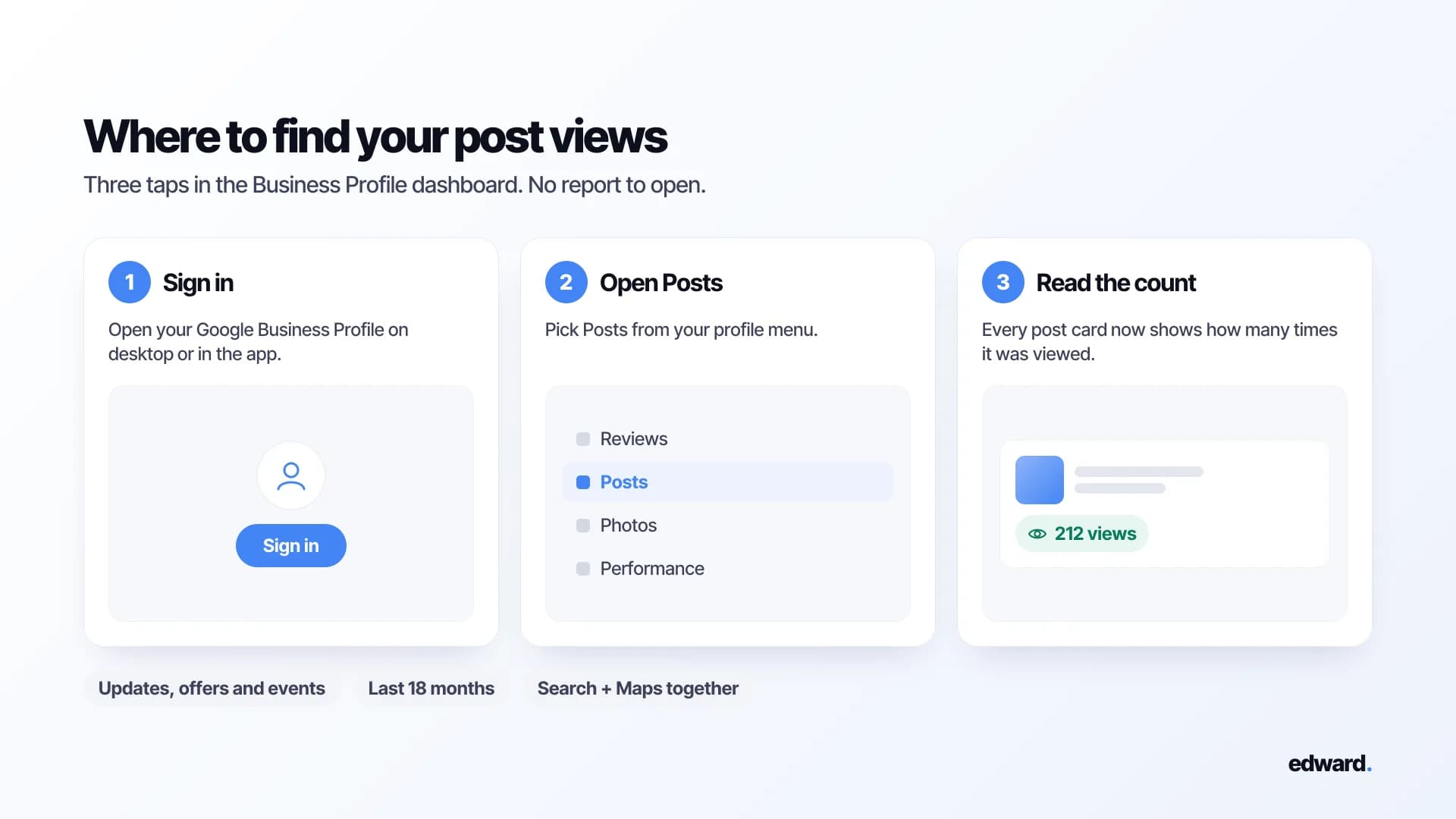
How to see your post views
- Sign in to your Google Business Profile.
- Open Posts from your profile menu.
- Look for the view count on each post card.
No number yet? Nothing is wrong with your profile. Google is rolling this out gradually, so check again in a week or two. And remember that posts older than 18 months won't show views at all.
Why this matters more than it sounds
Google used to show you views and clicks for every post. Then, in early 2023, it took them away. The post metrics in Google's API were switched off on 20 February 2023, with nothing to replace them, as Google moved Business Profile reporting to a new system.
Since then, posts have been the one part of your profile you couldn't measure. You could see calls, website clicks and direction requests in the Performance report, but not whether your posts had anything to do with them. So a lot of owners did the reasonable thing and stopped posting. Others kept going out of habit, with no idea whether it was working.
Now you can at least answer the first question: is anyone looking?
What the number doesn't tell you
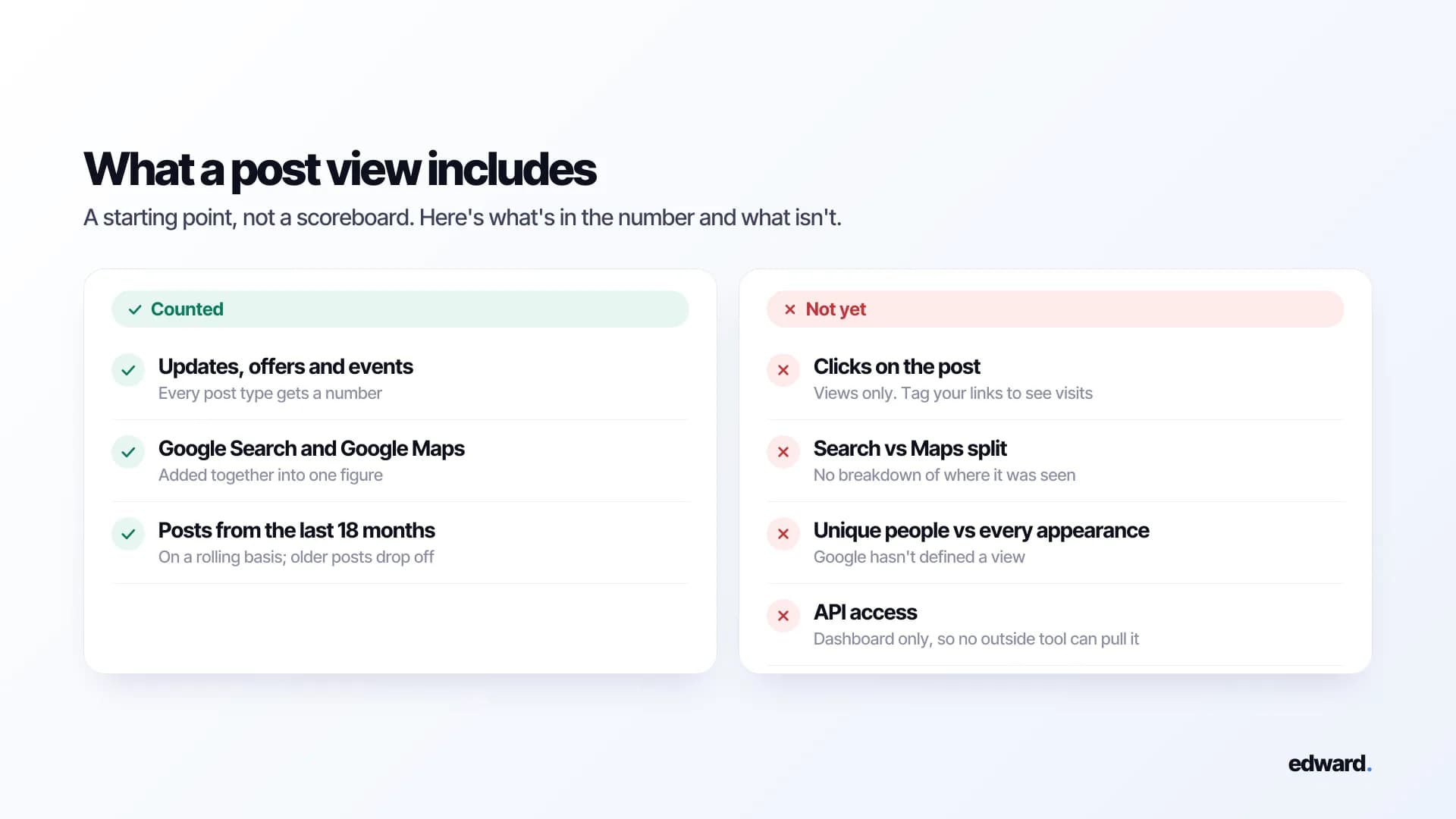
A view count is a starting point, not a scoreboard. Five gaps to keep in mind:
- No clicks. Google brought back views only. You can see that someone saw your offer, not whether they tapped "Call" or "Learn more."
- Search and Maps are lumped together. You get one number per post, with no split by where it was seen.
- "View" isn't defined. Google hasn't said whether the count means unique people or every time the post appeared on a screen. For comparison, the profile views in your Performance report count each person only once a day. Post views might work the same way. Or not.
- It only goes back 18 months. Anything older drops off. If you want a longer history, write the numbers down.
- It's not in the API. So no outside tool can pull post views yet. Not your agency's reporting dashboard, not Looker Studio, not Edward. For now, you read them in Google's own dashboard.
How I'd actually use post views
The mistake will be looking at one post's number and deciding whether it's "good." There's no public benchmark, and views depend on how many people search for your kind of business where you are. A plumber in a city of a million will see very different numbers than one in a village of two thousand. Your benchmark is your own past posts.
So here's the simple habit I'd set up.
1. Keep a tiny log. One row per post. A spreadsheet is plenty.
| Date | Type | What it said | Photo | Views after 7 days |
|---|---|---|---|---|
| 6 Oct | Offer | 10% off boiler servicing this month | Engineer at a customer's boiler | 212 |
| 13 Oct | Update | We now cover Eastside | Van parked on a local street | 148 |
| 20 Oct | Event | Free "bleed your own radiator" demo | Stock photo of a radiator | 61 |
(Made-up numbers, to show the idea.)
2. Compare posts at the same age. A post that's been up for two months will always beat one that went up yesterday. Record views at the same point, say seven days after publishing, so you're comparing like with like.
3. Change one thing at a time. An offer against a plain update. A photo of a person against a photo of a product. A question in the first line against a statement. Change everything at once and you won't know what made the difference.
4. Give it a couple of months. One post tells you almost nothing. Eight or ten start to show a pattern.
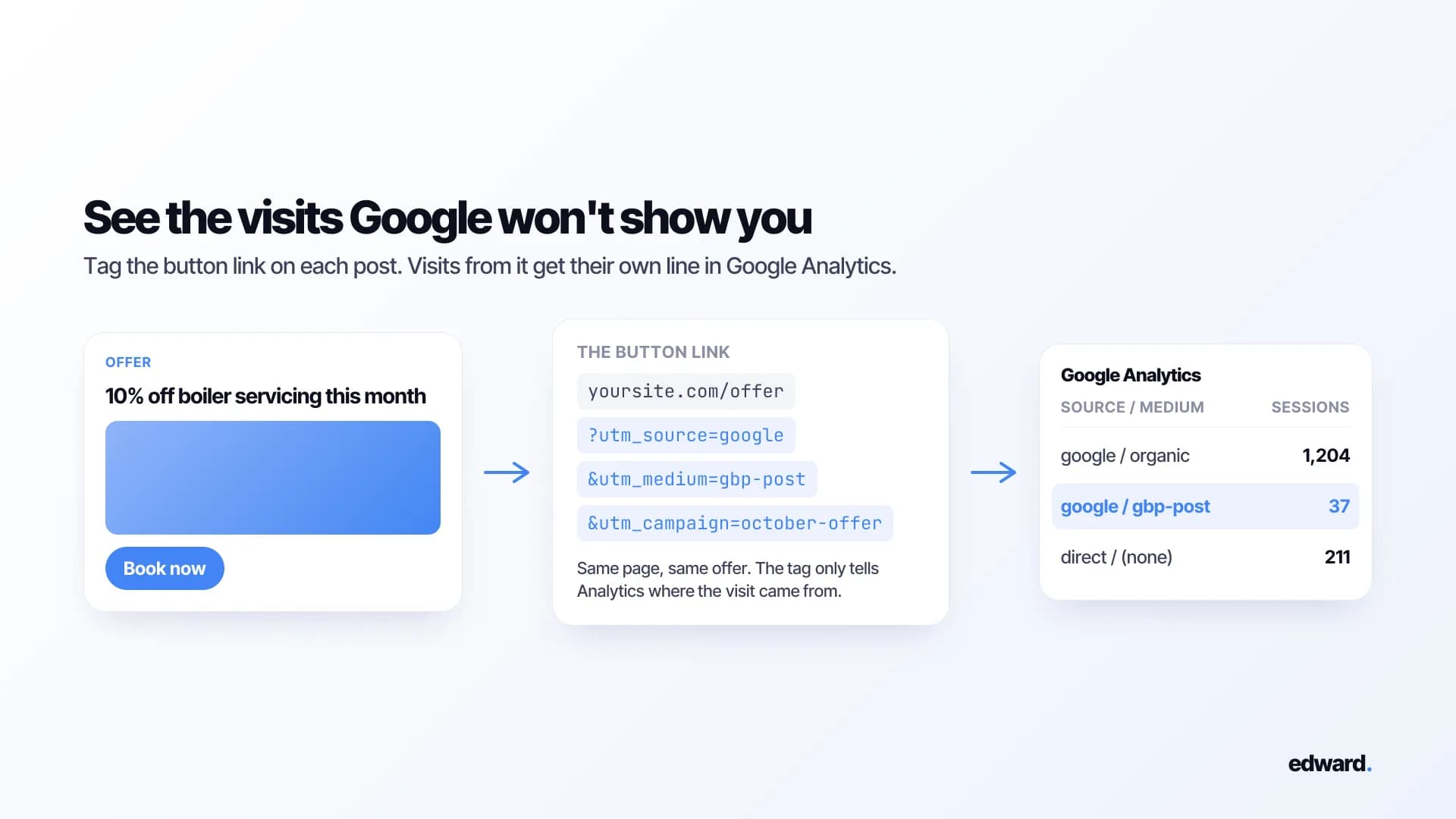
5. Measure what happens after the view yourself. Since Google won't show clicks, tag the links in your posts. A UTM tag on the button link, like ?utm_source=google&utm_medium=gbp-post&utm_campaign=october-offer, makes visits from that post show up on their own line in Google Analytics. Then check whether calls, website clicks and direction requests in your Performance report move in the weeks you post more.
What I'd test first
I won't pretend there's a formula. The data has only been back for a few weeks, and anyone selling you a proven posting formula right now is guessing. But here's where I'd start, because it's what works in every other feed:
- Specific over general. "Same-day boiler repairs in Eastside this week" against "We offer heating services."
- Your own photos over stock. Your van, your team, your actual work.
- Timely over evergreen. Offers and events have a reason to exist this week. That's why Google gives them dates.
- Steady over bursty. One post a week, every week, against ten in a month and then silence.
Your log will tell you which of these holds up for your business. That's the point of having the number.
The hard part is still the habit
Posting every week is the part that quietly dies. Not because it's difficult, but because nobody remembers on a busy Tuesday. It's the same reason most small business blogs go quiet after a month.

The fix is to batch it. Sit down once a month, write four posts, schedule them, and forget about it.
Manage your Google Business Profile inside Edward
That's exactly what Edward is built for. Connect your Google Business Profile and you can run it from the same place Edward writes and publishes your website's articles:
- Posts. Plan them on a calendar and schedule them weeks ahead, so your weekly post goes out even on your busiest Tuesday.
- Reviews. See every review in one list and reply without opening Google.
- Photos and business details. Add photos and keep your hours, description and contact details up to date.
- Performance. Calls, website clicks, direction requests, and the searches people used to find you.
- Map rankings. See where you show up on Google Maps across your area, street by street.
Edward only changes your profile when you tell it to. Nothing gets posted or edited on its own.
One gap for now: post views aren't in Google's API yet, so you'll still read those in Google's dashboard. Everything else is in one place.
Still waiting to get your profile verified in the first place? If you don't have a storefront, here's exactly what to film for Google's video verification.
Frequently asked questions
Why can't I see view counts on my Google posts? Google is still rolling the feature out around the world, so some profiles get it later than others. Check back in a week or two. Also, only posts from the last 18 months show views.
Do post views count unique people? Google hasn't said. Treat the number as a way to compare your posts with each other, not as a head count.
Can I see clicks on my Google posts? Not right now. Google brought back views only. To see visits from a post, add UTM tags to its link and check Google Analytics.
Are views from Google Maps included? Yes. Views from Search and Maps are added together into one number. There's no split between them.
Do Google posts help my ranking? Google hasn't said posts are a ranking factor, and I wouldn't post for that reason. Post because people who are already looking at your profile see them, and a recent, specific offer gives them a reason to call you instead of the next listing.
How often should I post? Weekly is a good rhythm for most small businesses. It keeps your profile looking alive, and after a couple of months it gives you enough posts to compare.
Can I pull post views into a report through the API? Not yet. Google says the feature is "not yet available in the API" and hasn't given a date.
Can I manage my Google Business Profile in Edward? Yes. Connect your profile and you can schedule posts, reply to reviews, add photos, update your business details, and track your calls, clicks and map rankings, all inside Edward. The only thing you'll still check in Google is post views, until Google adds them to its API.
Your profile is one half of how customers find you on Google. The other half is your website, and the searches it could be winning. Edward handles both: it manages your Google Business Profile and publishes the articles that win the searches your profile can't. Start a free audit to see the phrases your customers are typing and where you've got a real shot at showing up. Or see plans and pricing if you're ready to start.